AI in Centryflow
Metadata
writes itself.
AI in Centryflow does the quiet work. It describes, tags, links and enriches. Your content becomes findable and channel-ready without anyone doing the admin.
Book a demoNo hype. Just fewer hours spent naming, tagging and filing.
Centryflow · Enrichment
>import ss27_drop · 10,412 assets
✓alt text written · 10,412
✓tags applied · colour, angle, setting
✓linked to products · 10,398 matched
!14 held for human review
>awaiting your approval
What the AI does
It files. It finds. It fills the gaps.
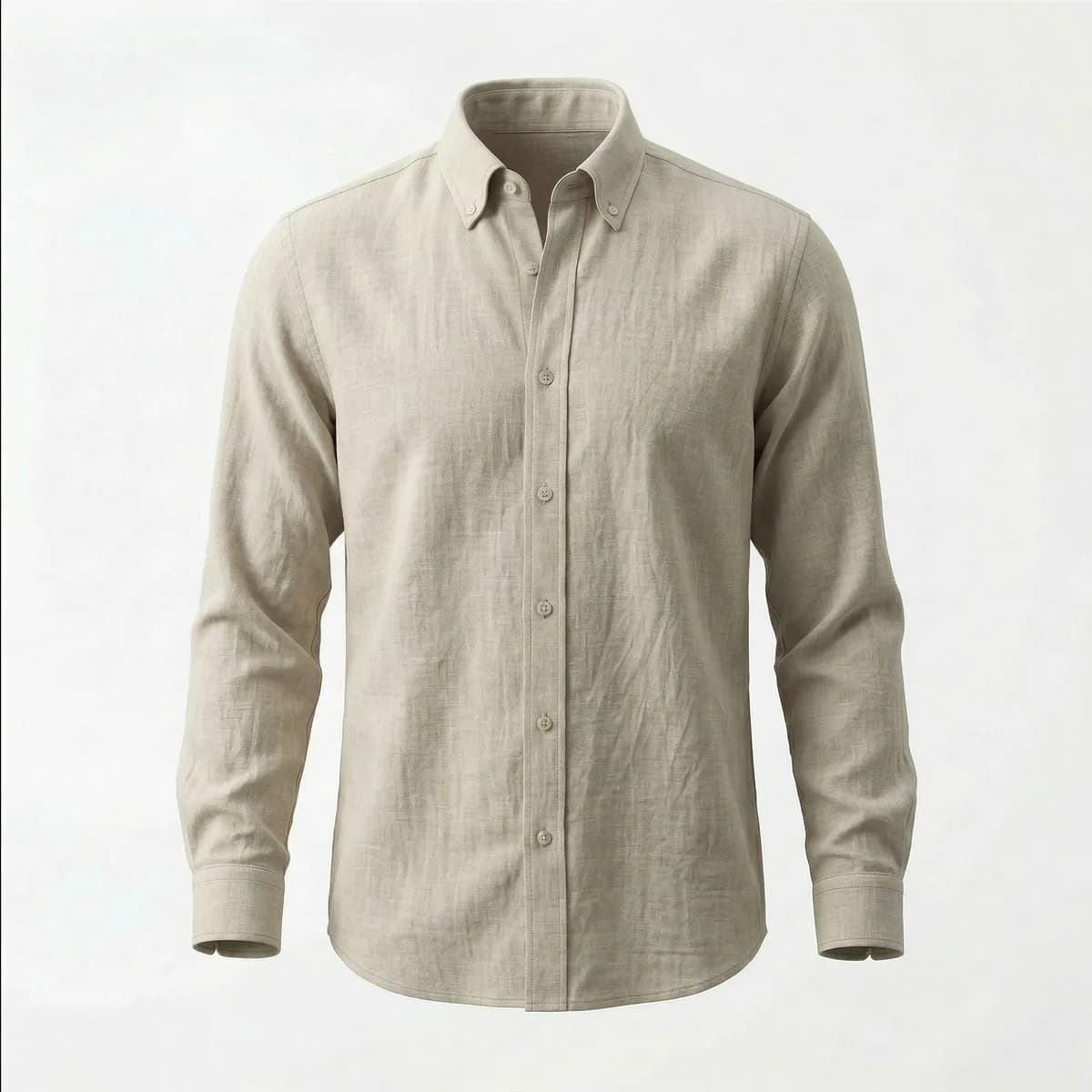
linen_shirt_front.raw
Uploaded 09:41 · untagged
AI suggests
“Relaxed linen shirt in natural stone, shot front-on for ecommerce.”
Search by what's in the image.
Visual information becomes searchable. "Red jacket, white background" just works.
Linking without the labour.
New assets connect to the right products automatically. No manual filing shift.
Enrichment at scale.
Ten thousand SKUs tagged and translated in the time it took to brief the old way.
0
Keystrokes required from the person uploading
3
Kinds of factual metadata written to every image
1
Question of your own, asked of every file
The problem it solves
Good metadata makes a library usable. Almost nobody has the hours to create it.
The gap is never a lack of willingness. It is that describing images by hand is slow, repetitive work that competes with billable work, and loses. So it has to stop being work.
- “I know we shot it. Blue dress, on a beach, a couple of years ago.” And no way at all to find it.
- A cataloguing backlog that never shrinks, because describing images is nobody's actual job.
- The same shoot described three different ways by three different people, so no search finds all of it.
- New starters cannot tell what already exists, so work is re-shot, re-bought or re-licensed.
- Three hundred images from one shoot, and a realistic expectation that none of them will ever be described.
- A library that everyone agrees is valuable and nobody can actually search.
How it works
What happens when a file lands
- 1
Someone uploads an image.
Exactly as they do today. There is no extra step, no form to complete and nothing to remember.
- 2
It is analysed automatically.
The image is examined and described. No queue waiting for a person, no batch job somebody has to start.
- 3
The results land on the asset.
Written as ordinary metadata fields, so they are searchable and filterable like anything typed by hand.
Two passes, both optional
- The facts
What is literally there
A plain summary of what the image shows, the objects in it, its dominant colours. Short, literal, and phrased the same way every time, which is what makes searching thousands of images work.
- The description
What you asked for
A longer written description, produced to answer whatever you need to know about your pictures. This is the part you shape.
- Your choice
On, off, or partial
Run either alone or both, and choose which parts of the library it applies to. Areas you would rather leave untouched are simply not enabled.
Ask your own question
Your vocabulary. Not a machine's.
Rather than accepting whatever a machine thinks is worth saying about a photograph, you write the question. Once, in plain language, asked of every image that arrives from then on.
Ask for the words your team and your customers actually search on, in the order you want them, at the length you want. The answer is written to the asset as a field, not buried in a report, so it is searchable, readable and reusable straight away.
A fashion library asks
“List the garment type, neckline, sleeve length, pattern and dominant colour. Be brief and factual.”
An e-commerce team asks
“Describe this product in two sentences for a product page, mentioning the material, the finish and the colour.”
A picture library asks
“Describe the setting, the time of day and the mood of this location shot, for a picture researcher searching the archive.”
A furniture retailer asks
“Name the item, the visible materials, the style period and whether it is shown in a room set or on a plain background.”
Change the question whenever your needs change and the next upload answers the new one. Different parts of the library can ask different questions.
Why it makes the library usable
Search only works when the same thing is called the same name every time. That is precisely what people are worst at and automation is best at.
Consistent every time.
Three people will describe one photograph three ways. An automated pass uses the same vocabulary on image one and image forty thousand, so a search returns all of them rather than a third of them.
Search by what is in the picture.
The objects that appear in an image are recorded, so the library can be searched by content rather than by whatever the file happened to be named.
Search by colour.
Dominant and accent colours are captured on every image, which is how people genuinely look for pictures and something no filename has ever supported.
Never an empty field.
Expert keywording still has its place for the assets that earn it. The difference is that the baseline is never blank, so nothing is invisible while it waits its turn.
The time it gives back
A by-product of uploading. Done while nobody is waiting.
Today
- Someone is asked to describe 300 images from a shoot.
- Cataloguing competes with billable work, and loses.
- A backlog that grows faster than anyone can clear it.
- Search becomes useful “once we get round to tagging”.
- Metadata quality depends on who was on shift.
- Assets are re-shot or re-licensed because nobody found the original.
With AI descriptions
- All 300 are described by the time anyone looks.
- Cataloguing is not work. It is a side effect of the upload.
- No backlog, because nothing waits for a person.
- Search is useful from the first upload.
- Identical treatment for every file, every time.
- What you already own actually gets used.
Example one
A fashion shoot lands overnight.
Three hundred images arrive from a studio at 11pm. The question this library asks is: “List the garment type, neckline, sleeve length, pattern and dominant colour.”
On every image, by the time the team log in
- A summary of what the photograph shows
- The objects visible in it, and its dominant colours
- The answer to the question: garment type, neckline, sleeve length, pattern, colour
Nobody stayed late. Nobody typed anything. The following morning a merchandiser searching for “sleeveless” in “navy” finds them, on a shoot that, under the old arrangement, would have gone into the library undescribed and effectively invisible.
Example two
An archive that nobody could search.
A marketing team inherits years of location and lifestyle photography. It is well organised by folder and completely unsearchable by content. New material is now uploaded with the question: “Describe the setting, the time of day and the mood of this shot, for a picture researcher.”
What the researcher gets, without asking anyone
- A written description in the language a researcher actually searches in
- Objects and colours recorded consistently across every new image
- A description they can lift straight into a brief or a caption
The library stops being an archive that people avoid and becomes one they use. And the change costs nothing per image, because it happens as the images arrive.
Worth knowing
You stay in control of where it runs.
It is switched on for the parts of the library that benefit, not imposed across everything. Both kinds of description are independent, and either can be turned off.
It also flags generated images.
The same pass can check whether a supplied image shows signs of having been generated rather than photographed. Increasingly worth knowing before an image reaches a campaign.
Calm AI
AI does the filing. You do the thinking.
The value of a library is not what is in it. It is what your team can actually find and use. AI descriptions close the gap between the two. Not by asking your team to do more, but by making the description happen at the only moment when it costs nobody anything: as the file arrives.
The saving is not that describing images becomes faster. It is that it stops being a task at all.
Quietly faster
Chaos out.
Flow in.
Bring the products, the assets and the team. Centryflow does the connecting.
- 1 source of truth
- 2x faster approvals
- 30% more campaigns
FAQ
Questions, answered.
Short and straight. For anything else, talk to us.
Centryflow is a cloud-based PIM, DAM and production management platform. It brings product data, creative assets, workflows and approvals into one connected environment, giving teams a reliable source of truth and the control to move faster.